

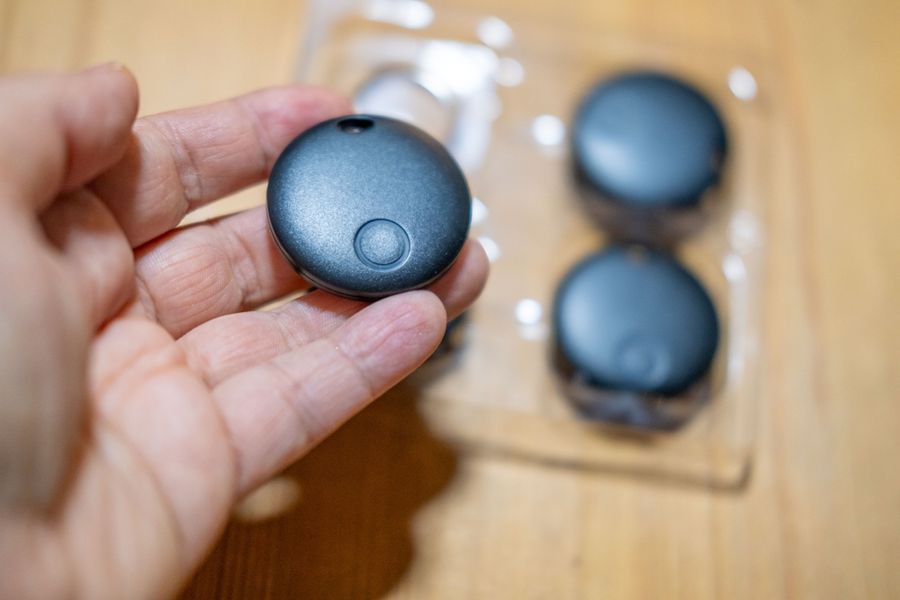
Bluetooth trackers can make daily life less stressful for people who often misplace keys, wallets, bags, remotes, or backpacks. Small tags connect to a phone app and help narrow the search when an item is nearby or left behind. They work best when used with a simple plan: choose the right items, attach each tracker securely, name them clearly, and check privacy and safety settings before relying on them.
Start With The Items You Lose Most
The best first step is to choose items that cause real trouble when they go missing. Keys, wallets, purses, work bags, luggage, and school backpacks are common choices because they are moved often. A tracker is most useful when it is attached to something important enough to search for, but small enough to be misplaced in daily life.
Do not place trackers on every object in the home at once. Start with two or three items and learn how the app works. This keeps the setup easy and helps you build the habit of checking the app before searching every room by hand.
Match The Tracker To Your Phone
Bluetooth trackers work through a phone app, so the phone you use matters. Some trackers are built mainly for iPhone users, while others work better with Android phones or certain phone brands. Before buying one, check whether the tracker’s app and main features match your device.
Some trackers can use a larger finding network when the item is farther away, while nearby items may be found with sound or close-range guidance. This matters because a tracker in your couch cushion is a different problem from a backpack left at a gym or office. The best tracker is the one that works smoothly with the phone you already carry.
Use Clear Names And Simple Labels
A tracker is easier to use when each item has a clear name in the app. Instead of using “Tracker 1” or “Tag 2,” name it “House Keys,” “Black Wallet,” “Work Backpack,” or “Carry-On Bag.” This makes it easier to choose the right item when you are in a hurry.
Physical labels can help too. A small tag holder, key ring, wallet slot, or luggage loop can keep the tracker in place. If a tracker falls off often, it will not help much. Secure placement is just as important as the app itself.
Use Sound For Nearby Items
The most useful daily feature is often the sound alert. If your keys are under a coat or your wallet is in a drawer, the app may be able to make the tracker ring. This can cut down on wasted time walking through the same rooms again and again.
A sound alert works best when the item is close enough for the phone and tracker to connect. Keep the room quiet for a moment, then follow the sound. If the item is inside a bag, under fabric, or between cushions, the sound may be softer, so move slowly and listen carefully.
Check The Last Known Location
When an item is not nearby, the app may show its last known location. This can help you remember whether the item was last seen at home, in the car, at work, or at another stop. It can also help you decide whether to keep searching nearby or contact the place where it may have been left.
This feature is helpful, but it should not be treated as perfect. A last known location can be delayed or depend on whether another device was close enough to detect the tracker. Use it as a clue, not as a promise that the item is still in the exact spot shown.
Build Trackers Into Daily Routines
A tracker works better when it supports a habit. Place keys on the same hook, keep a wallet in the same bag pocket, and put luggage trackers in the same compartment each trip. The tracker becomes a backup plan, not the only way to stay organized.
Set a small routine before leaving home. Check for your phone, wallet, keys, and bag in the same order each time. If one is missing, use the app right away. This is faster than waiting until you are already late or far from home.
Pay Attention To Privacy And Safety
Bluetooth trackers should be used only for your own items, not to follow people without their knowledge. Phones may show alerts when an unknown compatible tracker appears to be moving with someone over time. These alerts are important and should not be ignored.
If you receive an unknown tracker alert, follow the phone’s steps to find more details, play a sound if available, and learn how to disable the device. Turning off Bluetooth, location services, or airplane mode may not stop the tracker owner from seeing the tracker’s location, so follow the device maker’s disable instructions instead.
Keep Batteries And Settings Updated
Many trackers use small batteries, rechargeable batteries, or built-in batteries. Check battery status in the app so a tracker does not fail when you need it. A tracker with a dead battery can still be attached to your keys, but it will not help you find them.
App updates also matter. Updates can improve features, fix issues, and add safety tools. Keep the tracker app current, review notification settings, and make sure the tracker is still connected after changing phones or resetting your device.
Make Lost Items Easier To Find
Bluetooth trackers are most useful when they are part of a simple system. Choose the items that matter most, match the tracker to your phone, name each item clearly, and place each tracker where it will stay secure. Then use sound alerts, last known location, and daily routines to reduce stress when something goes missing.
The goal is not to track everything you own. The goal is to stop small losses from disrupting the day. With a few well-placed trackers and careful privacy habits, everyday items can become much easier to find.